

Each meeting produces a transcript, minutes, a translation and a dubbed video.
Microsoft Teams and Google Meet meetings are processed in the same AI flow as the rest of the platform. The assistant notifies the user when the recording is ready and processes only the meetings the user requests — collection is on demand and can be stopped at any time.
From recording to dubbed video, in a single flow.
- 01
Transcription
The recording is converted into searchable text.
- 02
Minutes with evidence
Decisions pointing to the source passages.
- 03
Subtitles
Synchronized .vtt and .srt files.
- 04
Bilingual translation
Document and PDF side by side.
- 05
Dubbed audio
Speech synthesis in the chosen language.
- 06
Dubbed video
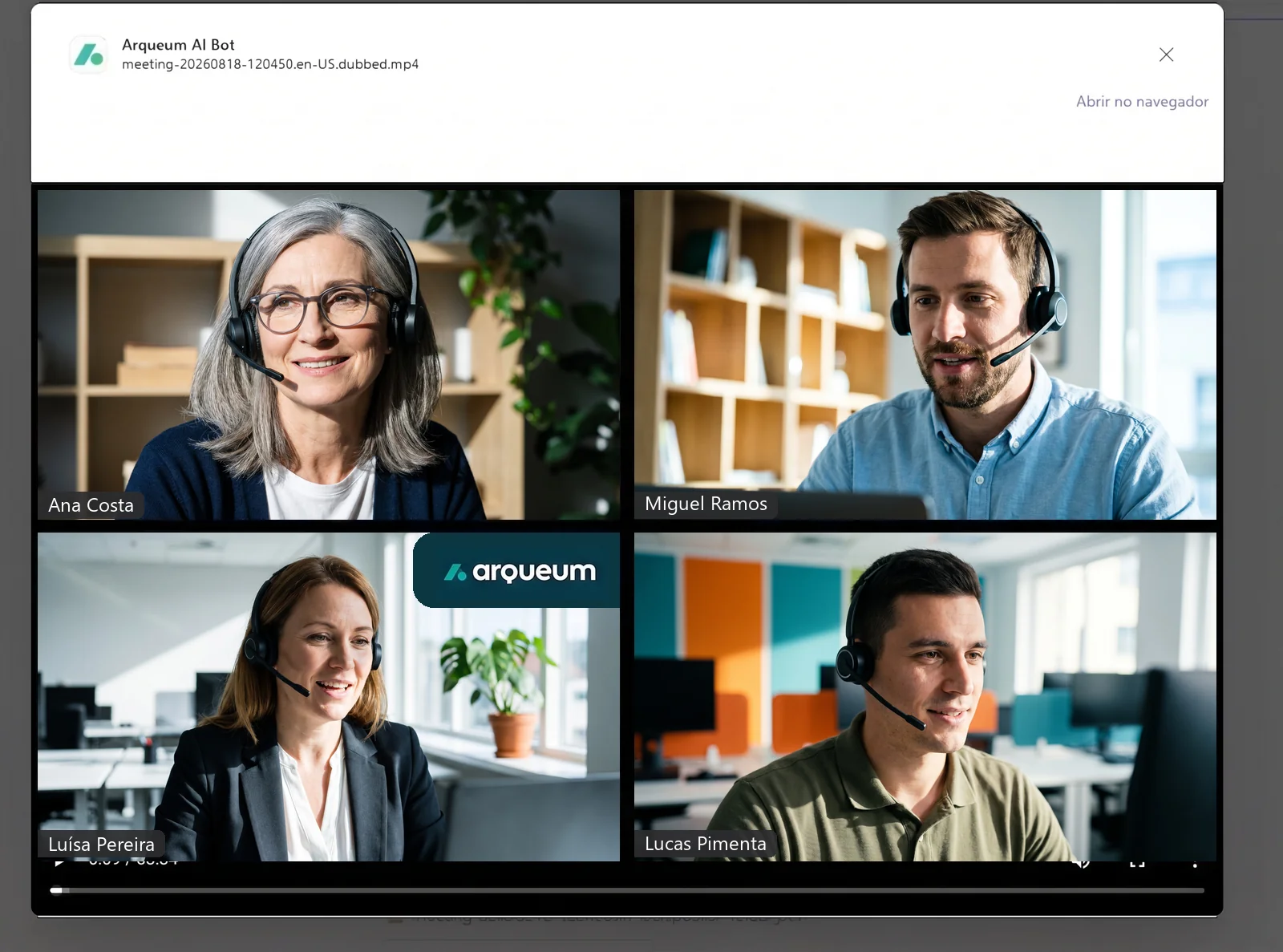
Player in the channel or in the browser.
In Microsoft Teams
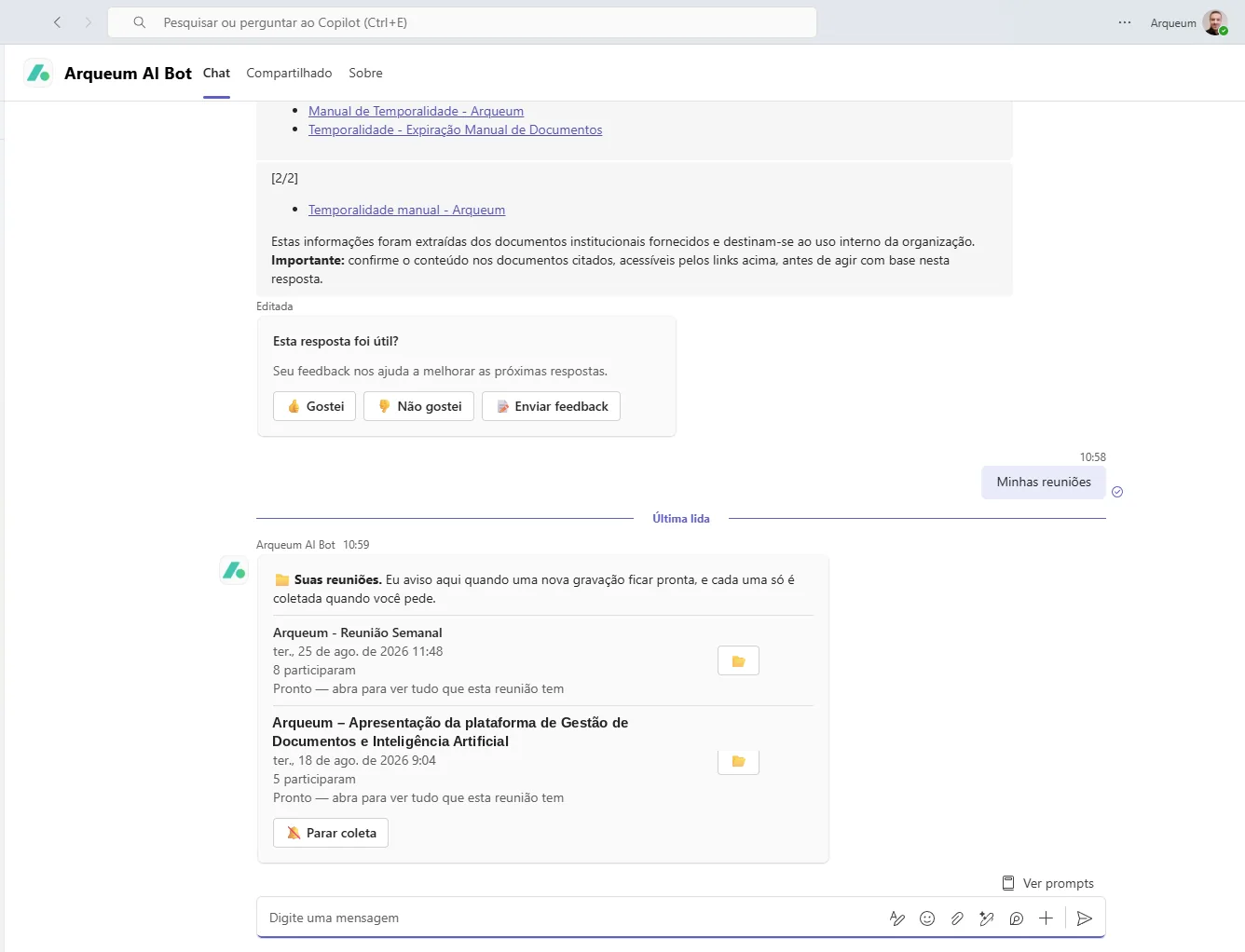
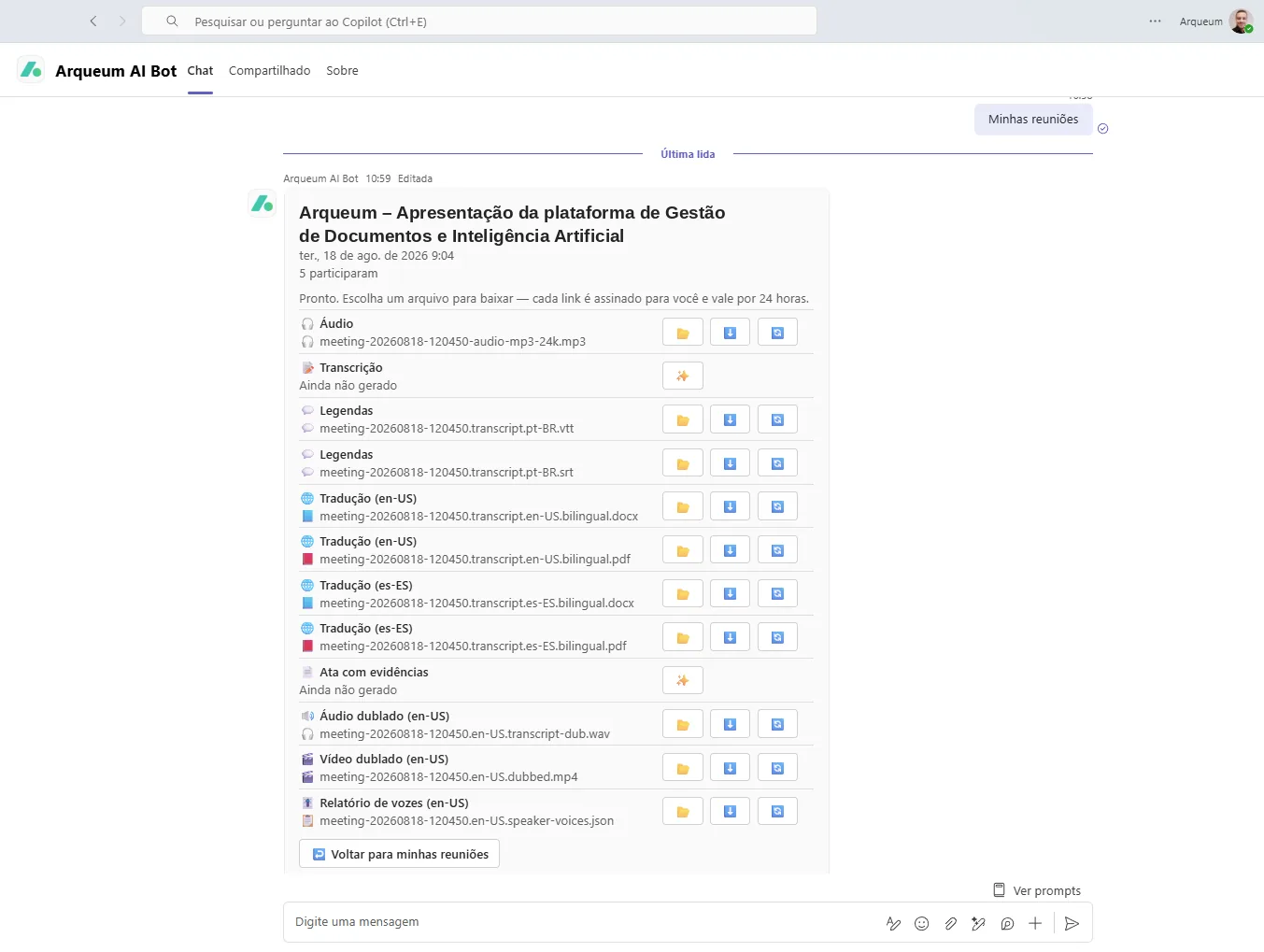
The user browses their own meetings from the chat and decides, one by one, which will be processed. Each file is delivered via a signed, temporary link, with no permanent copy outside the authorized environment.
What is generated
- Meeting audio and a searchable transcript
- Synchronized .vtt and .srt subtitles
- Bilingual translation as document and PDF
- Minutes with evidence, pointing to the source passages
- Dubbed audio and video in the chosen language
- Voice report per participant
In Google Meet and Google Chat
The same assistant for Google Workspace users: the /minhas-reunioes command lists the recordings and each meeting generates the same artifacts.
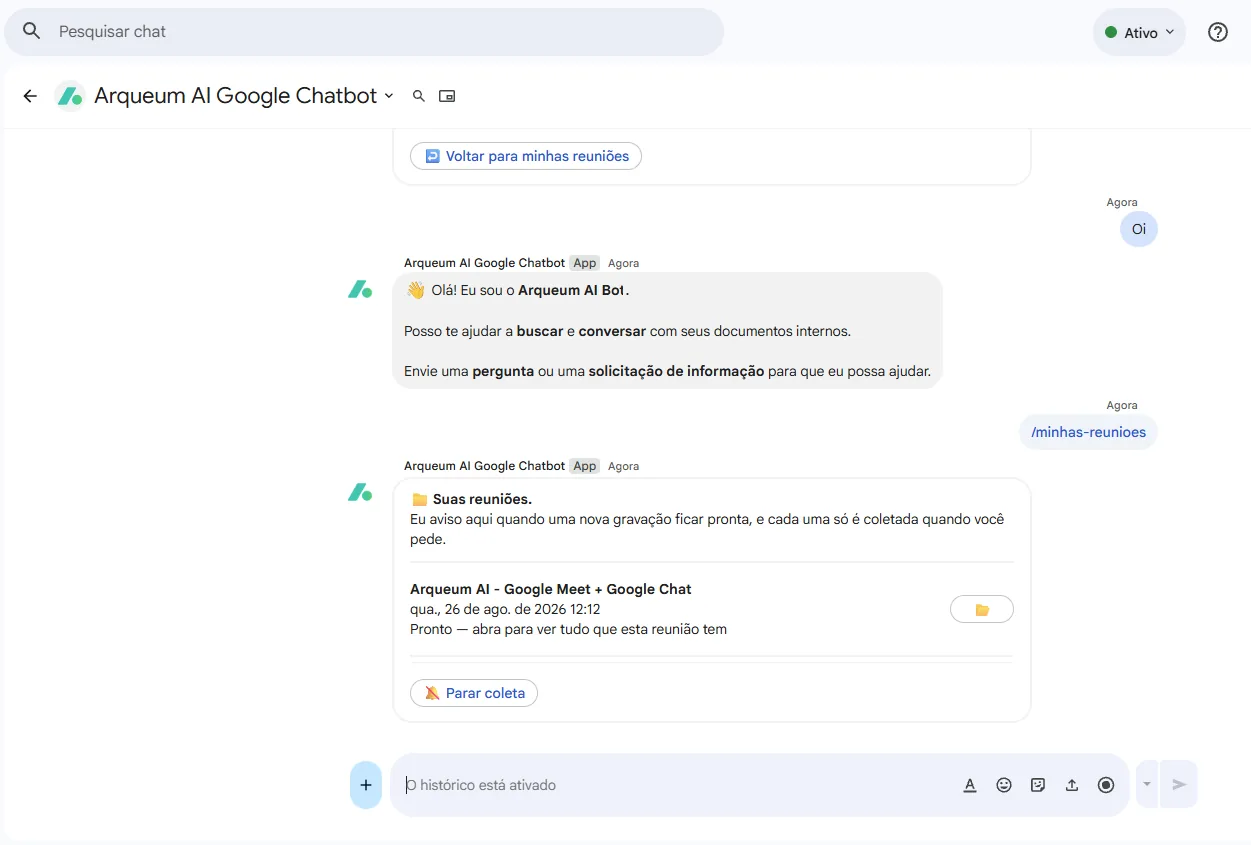
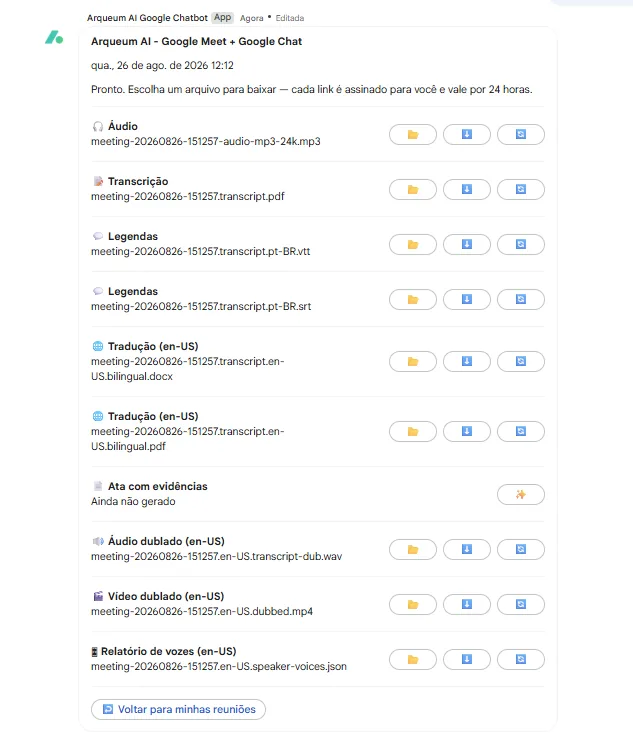
The same result in both ecosystems: processing does not depend on where the meeting took place.
The Microsoft Teams channel requires an Azure Bot registration — a Microsoft-ecosystem resource, regardless of where the AI services run. Google Chat has no such dependency.
Want to see the flow applied to one of your company's meetings?
A solution engineer replies within 1 business day.