


Fermin Piccolo
Co-founder, Arqueum
Published on · 5 min read
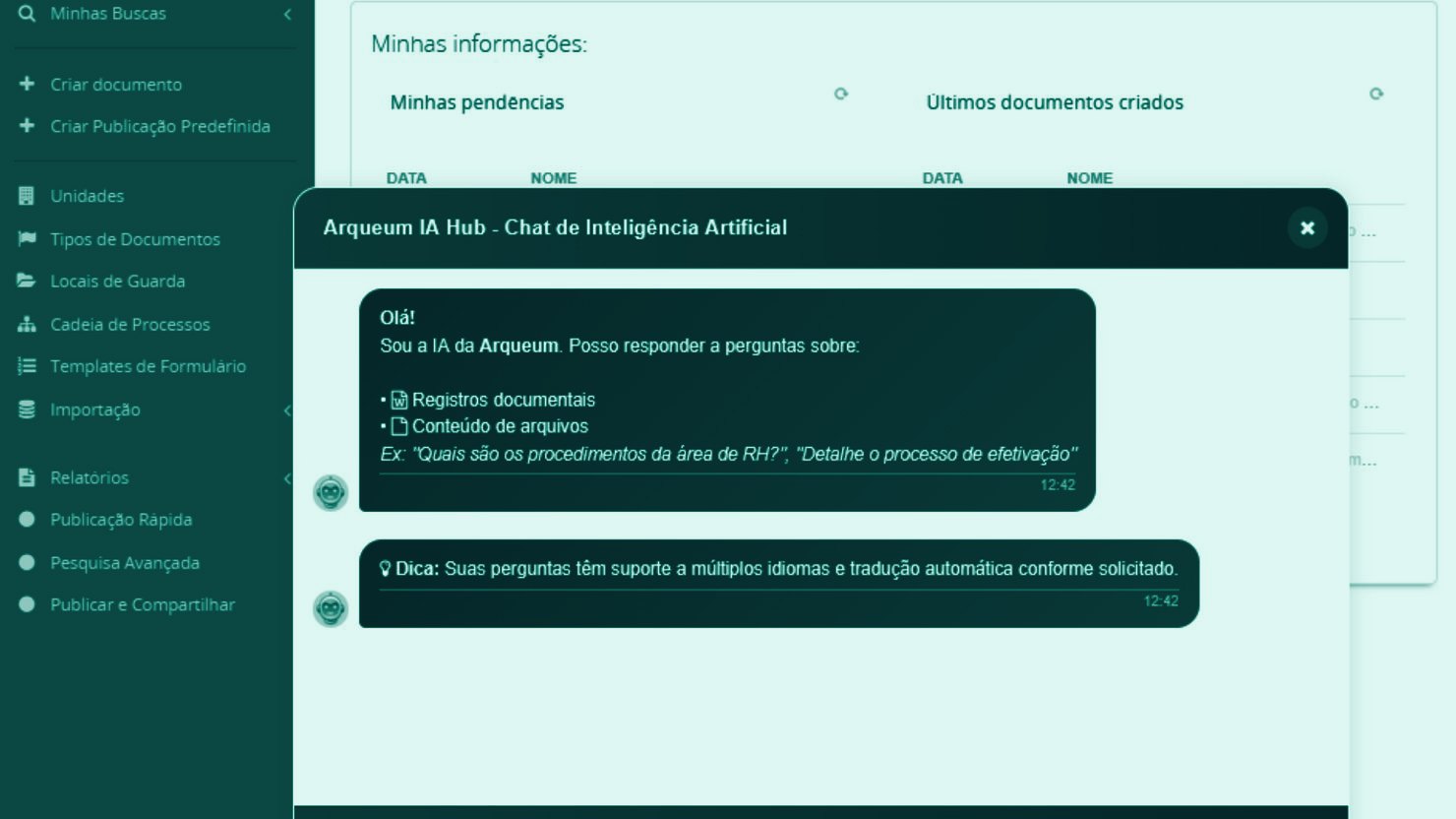
Version 3.13 of Arqueum brings new features in artificial intelligence, workflow automation, security, and regulatory compliance. In this update, we introduce the integration with the Arqueum AI Hub, new automation capabilities in workflows, and early preparation for important regulatory changes.
Check out each improvement in detail.
Arqueum AI Hub: query your documents in natural language
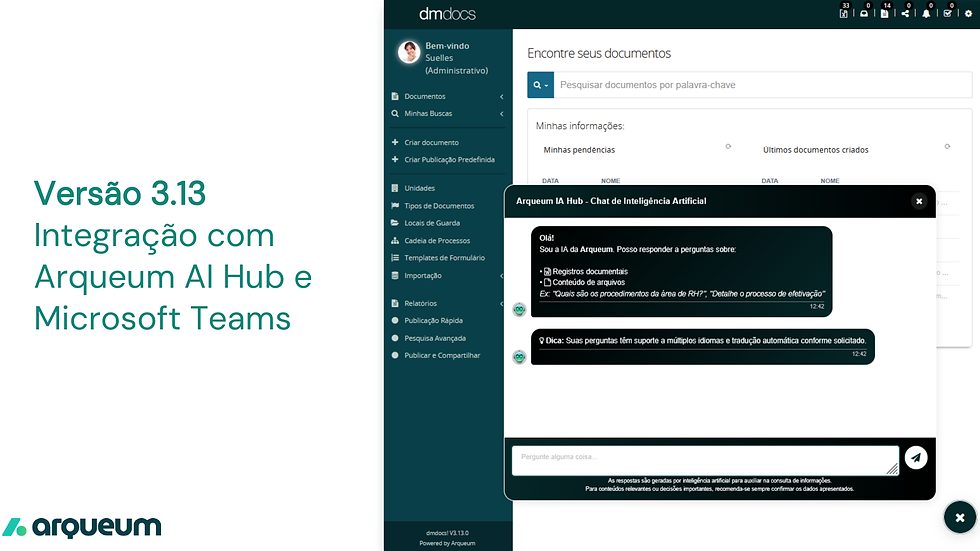
The main highlight of version 3.13 is the integration with the Arqueum AI Hub, the platform’s artificial intelligence module. With it, users can ask questions in natural language and receive answers based on the company’s own documents and data — all within a secure environment, with access control and guaranteed data residency.
The module includes:
-
Semantic search — find documents by meaning, not just by exact keywords. Vector embedding technology identifies relevant records even when the question is phrased differently from the original text.
-
Intelligent chat with documents — ask your document base directly. The AI retrieves the most relevant passages, injects the context into the language model, and generates answers with source attribution, so you always know where the information came from.
-
Automatic summarization — generate summaries of individual documents or entire sets, saving time on reviews and analyses.
-
Automatic translation — full multilingual support in Portuguese, English, and Spanish, with on-demand automatic translation.
-
Text-to-Speech and Speech-to-Text — convert documents into audio or transcribe recordings, expanding the ways you can interact with content.
The Arqueum AI Hub was designed with a multi-cloud (Azure, AWS, GCP) and multi-tenant architecture, which means each company operates in an isolated environment, with full control over where its data resides.
Included in the product: the AI module has no additional license cost. All that is required is the provisioning of your company’s cloud environment, which guarantees data residency and full control over your data.
Chatbot integrated with Microsoft Teams
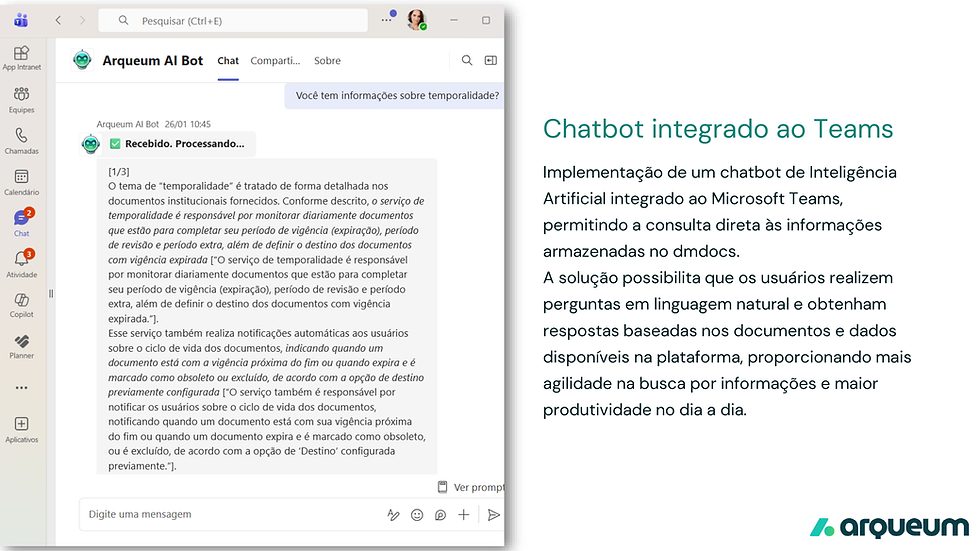
For teams that use Microsoft Teams, version 3.13 introduces the Arqueum AI Bot — an artificial intelligence chatbot that lets you query the information stored in the platform without leaving the collaboration environment.
In practice, just open a chat with the Arqueum AI Bot in Teams and ask questions like: “Do you have information about retention schedules?” or “What are the HR department’s procedures?”. The bot processes the question, queries the Arqueum document base in real time, and returns the answer directly in the conversation.
The solution is suited to scenarios where the team needs quick information during meetings, calls, or in the natural flow of work, without having to switch between applications. Answers are contextual and based on the company’s actual documents, providing reliability and agility in day-to-day work.
AI Chat Bot in Arqueum
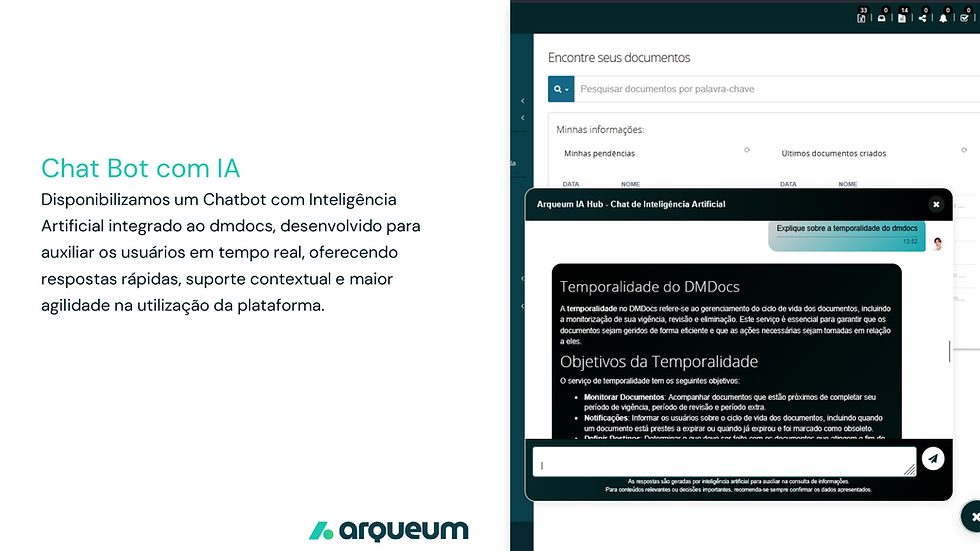
In addition to the Teams bot, version 3.13 delivers an artificial intelligence chatbot integrated directly into Arqueum. It was developed to assist users in real time, offering quick answers, contextual support, and greater agility in using the platform.
The assistant appears as a chat widget in the Arqueum interface. When you type a question — such as “Explain Arqueum retention schedules” — the assistant responds with structured information, including titles, topics, and objectives extracted from the document base. The answers are generated by artificial intelligence to assist with information lookup, and the platform recommends always confirming the data presented for relevant content or important decisions.
Workflow Cloning
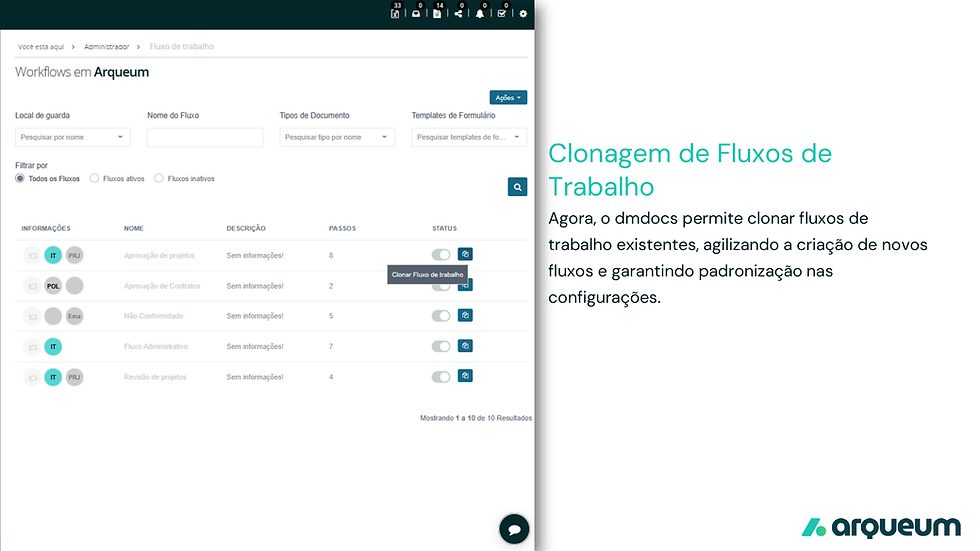
Workflow management just got faster. It is now possible to clone existing workflows with a single click, eliminating the need to recreate complex configurations from scratch.
On the workflow administration screen, each workflow displays a clone icon. When you trigger the copy, the system duplicates the entire workflow structure — including steps, conditions, and settings — and prompts for a new name (with automatic validation to prevent duplicates, in Portuguese, English, and Spanish).
This feature is especially useful for companies that operate with variations of similar processes across departments or branches. Instead of configuring each workflow manually, simply clone a base template and adjust the specific points, ensuring standardization and saving time.
Document Creation with PPTX support
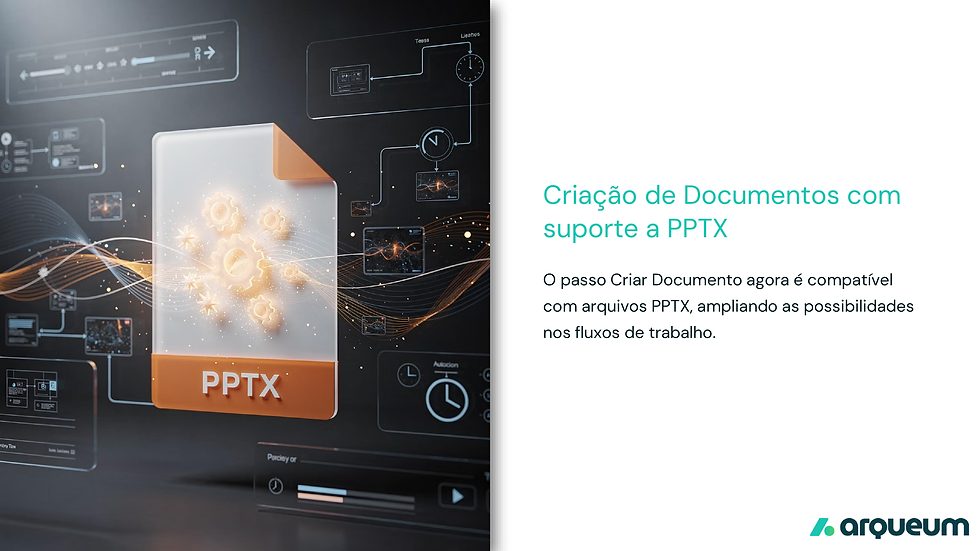
The “Create Document” step in workflows is now compatible with PowerPoint (.pptx) files, expanding the possibilities for document automation.
Previously limited to formats such as PDF and DOCX, PPTX support allows presentations to be generated automatically as part of a workflow, using predefined templates. This is particularly valuable for teams that need to produce visual reports, project presentations, or training materials in a standardized, recurring way.
The application/vnd.openxmlformats-officedocument.presentationml.presentation MIME type registration was added to the system, and the document comparison feature now also supports the format, enabling version control for presentations.
File exchange with Azure AD authentication

The Arqueum file exchange feature now supports authentication via Azure AD (Microsoft Entra ID), raising the bar for security and integration with Microsoft 365 corporate environments.
With this update, file exchange between Arqueum and external systems uses OAuth2 and JWT tokens managed by Azure AD, eliminating the need for separate credentials. Authentication is transparent for users already signed in to the Microsoft ecosystem, offering single sign-on (SSO) and role-based access control (RBAC).
This integration is essential for organizations that have adopted Microsoft 365 as their corporate platform and need to ensure that all document exchanges follow the company’s security and compliance policies.
Arqueum ready for the alphanumeric CNPJ
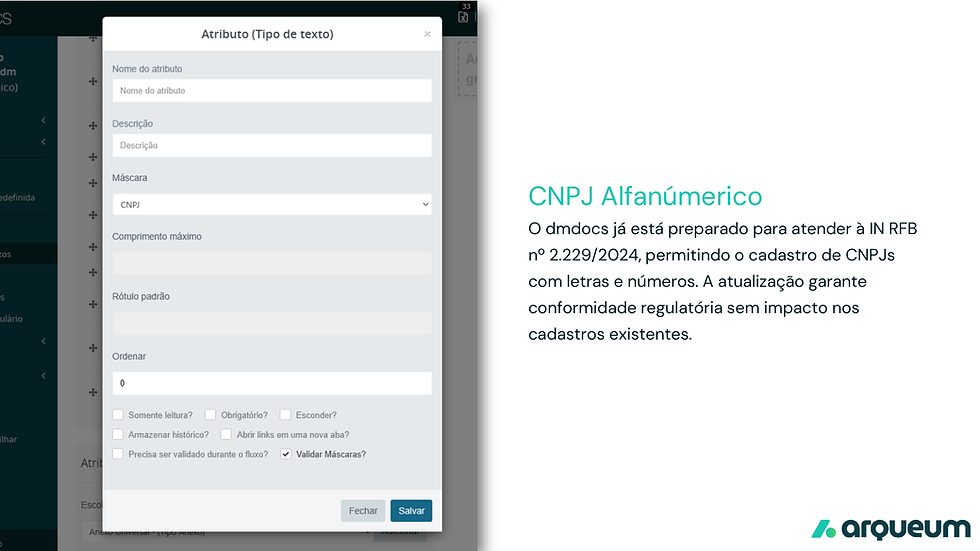
Starting in July 2026, Brazil’s Federal Revenue Service (Receita Federal) will begin issuing CNPJs — Brazilian company registration numbers — in an alphanumeric format, combining letters and numbers, in response to the accelerated growth of new registrations in the country. The change is set out in IN RFB No. 2.229/2024.
Arqueum is already prepared. Version 3.13 updates CNPJ field validation to accept the new alphanumeric format, allowing CNPJs in the updated standard to be registered and verified with no impact whatsoever on existing records.
In practice, “CNPJ”-type attributes in Arqueum already recognize both the current numeric format (14 digits) and the new alphanumeric format. The “Validate Masks?” option ensures the system automatically checks the conformity of the data entered.
No action required: CNPJs already registered remain valid and unchanged. Only new registrations issued from July 2026 onward will follow the alphanumeric standard.
How to update
Updating to version 3.13 has no additional cost for customers with an active contract. To plan the migration without impacting your operation, contact our support team: support@arqueum.com